
Lego Sorting via F# WebAssembly
If you wan't to learn about F#/Wasm keep scrolling a bit. If you came to sort your Legos, let's get started! To use my lego sorter you need a webcamera or phone set up in an about 45° angle on a table or other flat, preferably white background. When you have that go here www.johansivertsen.com/brickbox. Be aware that images recognized as bricks get stored and send off via. the internet so don't film anything personal.
The software learns to recognize the background and differentiate it from bricks, so it works best if the background is relatively stable, but handheld phones also do work.
Then place your brick(s) inside the field of view. You should see something like this: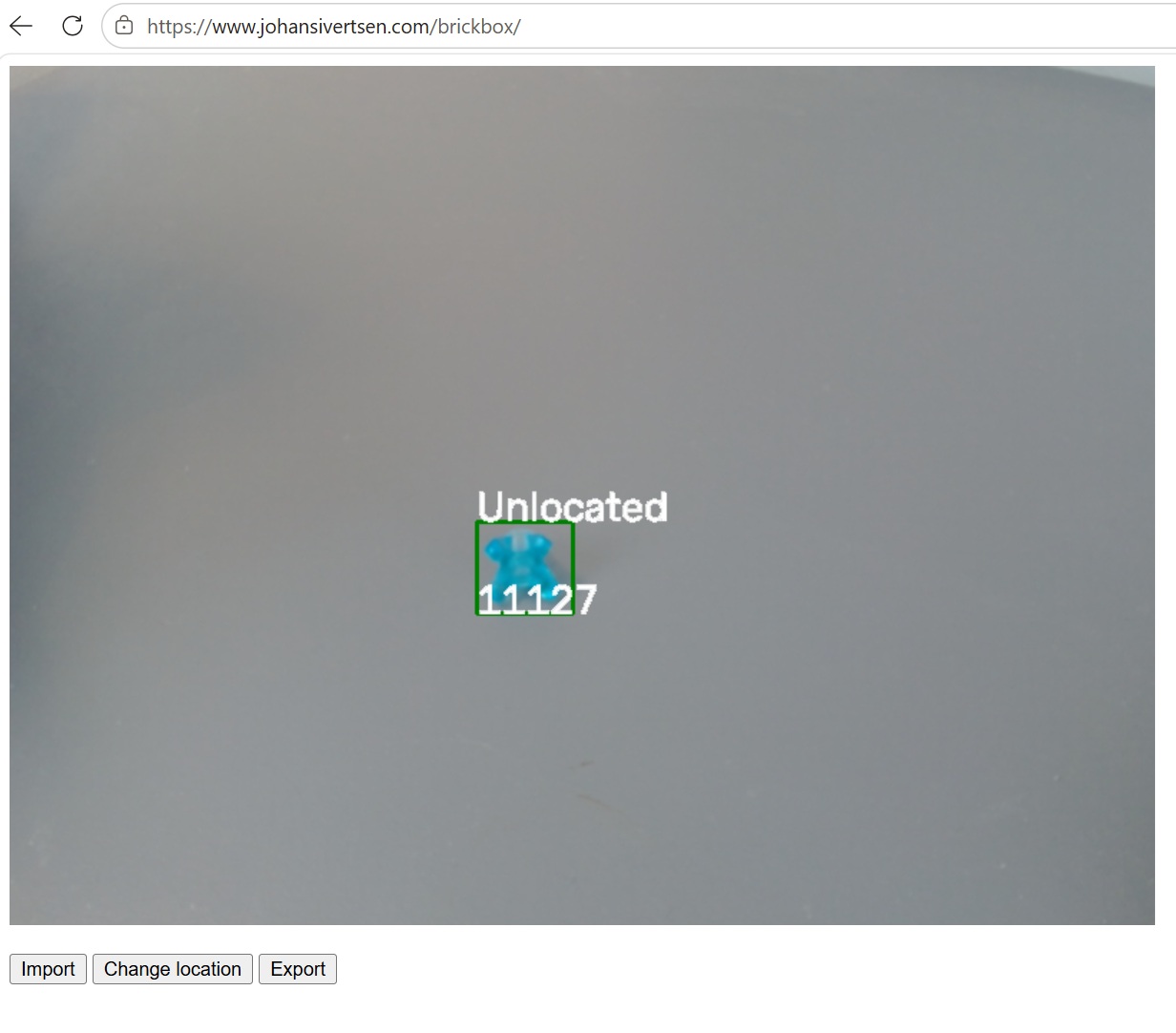
This means the the brik in question has been recognized as brik `11127`. If you want to verify this you can look up the brick online. You will most likely find that the identification is correct. The identification is done via www.brickognize.com which is excellent!
It also says 'Unlocated' this tells you that this brick does not currently have a location. When your viewport features just one brick, you can click "Change location" and set the location of that brick in your system.
Next time you see brick `11127` it will tell you where to sort the brick, here I entered `Box1` as the location for this brick.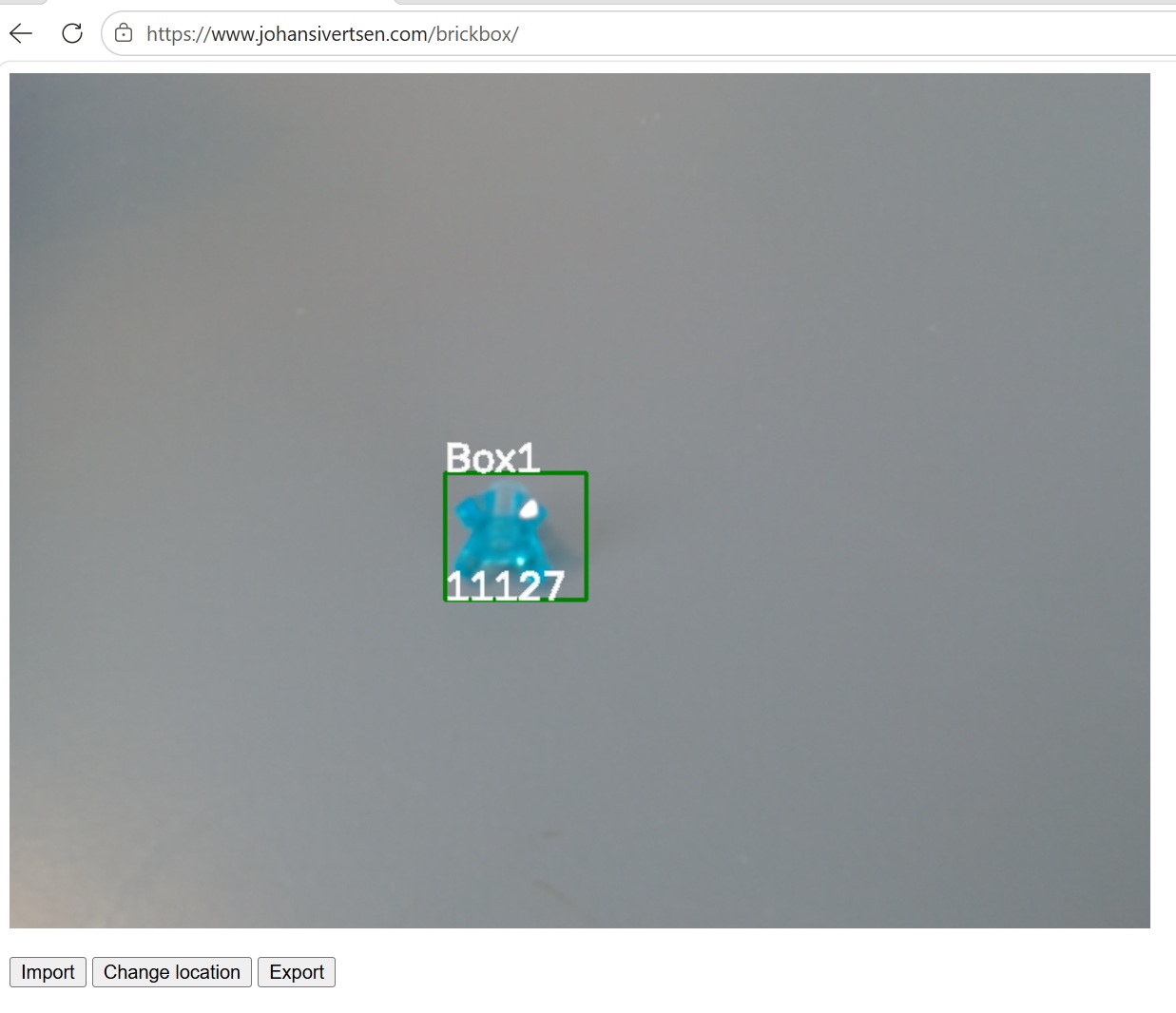
The other two buttons let you import/export your locations as .csv files. Remember to export your data before closing the browser so you can import it next time.
That's it really.
How/Why (Lego)
We quickly ended up with thousands of lego-bricks in a few plastic tubs. There are plenty of official and unofficial instructions for making new builds online and in the Lego app, but building anything from an instruction is more or less impossible (or at least very slow) when you have to find every piece (if you have it) amough thousands of other pieces. Hence I felt the need to sort my lego, but the issue with that is that if I sort it, I might know where stuff is (at least for a while), but my kids don't. And vice versa if they sort it. We needed a system that would allow us to persist and share the sorted locations of the bricks. And thus this project was born.
For my personal setup I now use a bunch of platics boxes from Auer, they have the best plastic boxes imo. It makes it so much more fun to build now that you don't have to roam through thousands of unsorted bricks. You can of course use the pictures in the Lego instructions to finds bricks in your system once everyhing is nicely sorted.
How/Why (Software)
This project was made as en exploration into web-assembly. I had heard that .net code runs in WASM now, but I really wanted to see what I could do with that. Previously, like for my port of the Stocastic Report Generator I had hosted logic on Azure, but for this application you need to run an image recognition pipeline, something that might cost real compute so perfect for seeing what I could do in the browser. The ability to share your software with the world, without having to risk incurring massive cloud costs, and withhout having the user go through the hassel of downloading and installing stuff was very exciting to me as a software developer.
When you start to Google .NET and Wasm, you will see the word `Blazor` all over. Blazor is a system that lets you mix C# and html and will figure out how to make everything interact behind the curtains. I wasn't too happy with that as a learning experience so I decided to do everything I could to avoid Blazor here.
So essentially it works like this:
- The browser loads the webpage (html),
- The webpage tells the browser to load some javascript (dotnet.js),
- The JS execution layer starts a web-assembly CLR that is able to exeucte my F# code. So my F# is turned into CIL, interpreted via. a virtual machine (the .net CLR) into web-assembly, which is then interperted via another virtual machine (running in the browser) into native instructions for the client machine.
- The web-assembly CLR is able to pass instructions between the CLR and the browser/js layer as requested by `[JSImport]/[JSExport]` attributes in the source code.
My project heavily use OpenCV via OpenCVSharp which is also able to run in web-assembly. Getthing this dependecy to compile was probably the main challange here really. And I only succeded after finding this Blazor sample. Looking the the csproj there I was less upset with myself for failing to make it compile initially :)
But with that done it acually works, everything is running in browser. The only non-client parts are the shipping off of the image to the recognition pipeline and for storage of the images. I store them for now because while brickognize.com is excellent I worry it might somedays disappear or be monitized, if that day comes having kept the categorized images would allow me to swap to searching my image collection instead. The detection of bricks, cropping of images, csv-import/export and location management is all running in F# via. web-assembly and without `Blazor`.